

A WFH laptop, ready to go: four layers of checklist, miss one and the tickets start same-day

Setting up a laptop for an employee about to start working from home, if reduced to “install Office and hand it over,” will almost certainly generate a string of support tickets on day one. A genuinely complete provisioning checklist covers four layers — from the operating system all the way to the audit trail.
Layer one: the system
- Rename the machine to match the standard asset-naming convention;
- Install baseline software (browser, archive tool, PDF reader);
- Confirm the account is in the correct domain group, with permissions matching the role.
Miss this layer and the user can’t log into the domain on day one, or logs in but is missing permissions they should have.
Layer two: business systems
This is the layer standard “imaging checklists” most often miss, precisely because it varies by role:
- Install the business system client (an ERP client here), pointed at the correct database server path;
- Confirm it can discover and connect to the right database/service instance;
- Adjust folder access permissions so the client software can read and write the local paths it needs.
Miss this layer and the user’s computer works fine, their job doesn’t — the most frustrating class of ticket, because on the surface “the laptop is fine.”
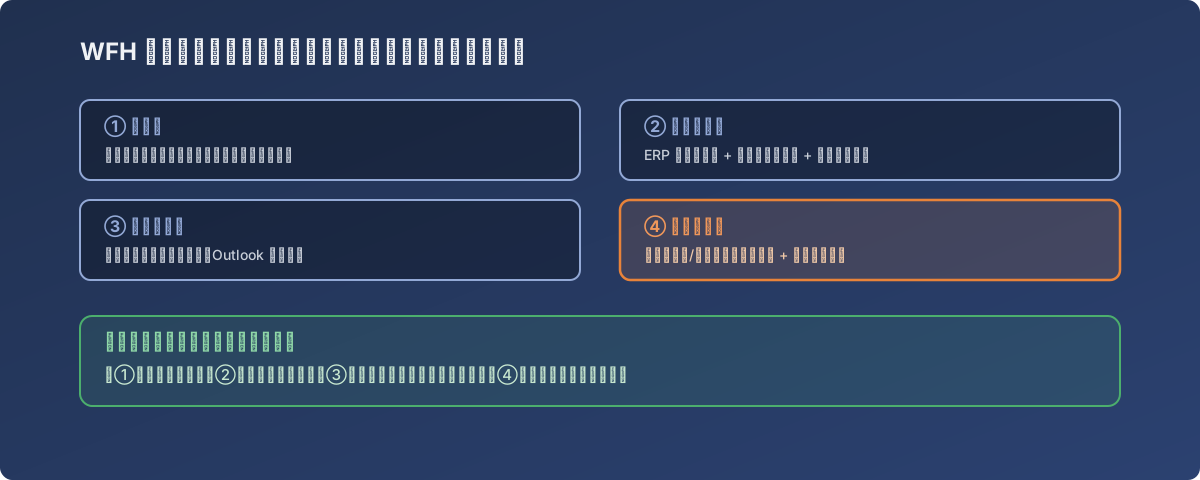
Miss ① and they can’t log into the domain; miss ② and business systems won’t open; miss ③ and files/printers go missing; miss ④ and the asset register drifts from reality
Layer three: peripherals
- Map the shared drive paths used day-to-day;
- Install the network printer the user actually needs;
- Migrate or reconfigure the Outlook mailbox — mail, calendar, and contacts all present.
Tickets from this layer are usually less urgent, but they add up fast — every “I can’t find that folder” or “the printer won’t connect” is another context-switch cost, for the user and for IT.
Layer four: the audit trail
An easily-skipped but equally important step: run a hardware/software inventory scan (a tool like Belarc Advisor here), archive the result, and update the company’s asset register to match.
This layer doesn’t affect whether the user can work today, but it decides:
- Whether, six months from now, an audit asking “what spec was this machine, what software was on it” has an actual answer;
- Whether the asset register stays in sync with reality — avoiding the classic asset-management failure where “what the register says” and “what’s actually installed” diverge.
Lessons
- “Install Office and it’s done” is the most common under-delivered handoff. A genuinely complete one covers system, business systems, peripherals, and audit — miss any layer and it becomes a same-day ticket;
- The business-systems layer (layer two) is the one most deserving of a written standard checklist, yet most often improvised from memory — codifying it into documentation dramatically cuts reliance on any one person’s knowledge;
- The audit-trail layer (layer four) looks like paperwork done after the fact — it’s actually the only future basis for audits and asset counts. Doing it on the spot is far cheaper than reconstructing it later.