

The UPS emailing every 10 minutes: same IP, new server, different 'identity'

A server was rebuilt from WS2016 to WS2022 (redeployed, keeping the original IP address). Days after the switch, the UPS’s network management card started sending an alert email every ten minutes — like a smoke detector stuck chirping.
Investigation: suspect the network before the software
The first instinct was to check the UPS card’s own network configuration — logging into the UPS network management card (NIC), everything looked normal. Email notification settings hadn’t changed, trigger rules were fine.
The real clue was in the Client list: the UPS card still held a PowerChute client entry pointing at this server’s IP — except that client no longer existed. When the old OS was reimaged, the PowerChute client “identity” that had been registered on the UPS card vanished with it, yet the UPS card kept trying to reach it on schedule, got no response, and dutifully emailed to report “cannot reach client.”
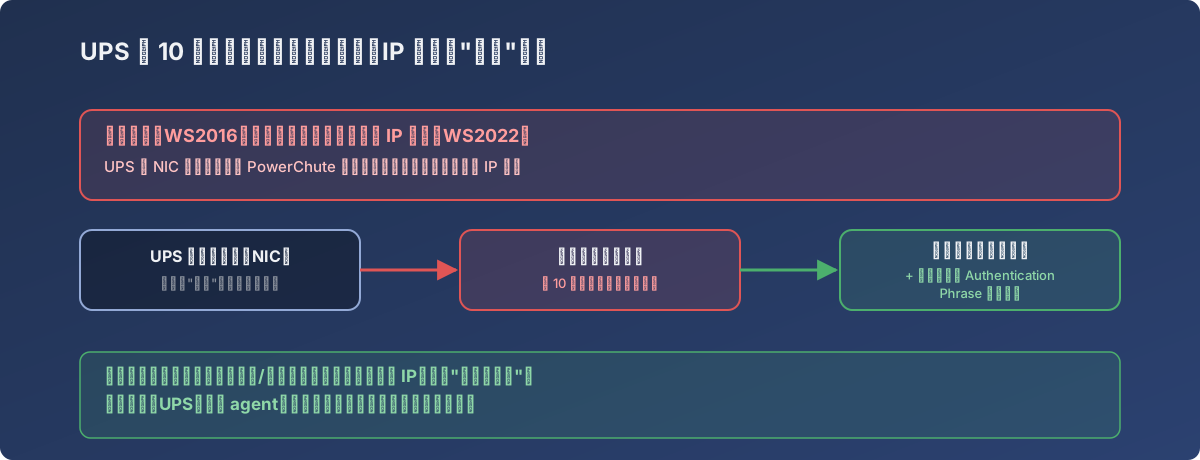
The IP carried over — but PowerChute tracks a registered identity, not an IP
The fix
- Delete the stale PowerChute client entry on the UPS NIC — it’s an empty shell nothing will ever answer for;
- Reinstall the PowerChute Network Shutdown Client on the new server and run through a fresh setup wizard;
- The wizard asks for the UPS NIC address and an Authentication Phrase — set on the UPS NIC’s “Shutdown Configuration” page; both sides must match to pair;
- Confirm HTTPS is enabled on the UPS NIC; if the wizard flags a certificate/connection issue, click “Fix Problem” to let it self-resolve;
- Don’t power down the UPS during setup — even if the wizard offers a “safe to shut down for testing” prompt, skip it, to avoid a real power event while the server is mid-reconfiguration.
Once paired, the new server’s entry appeared in the UPS NIC’s Client list (same IP as the old one), and the ten-minute spam stopped.
Lessons
- Same IP ≠ same identity. Any peripheral system that works by registered relationship (UPS clients, monitoring agents, backup agents, domain trust) needs re-registering after a server reimage or replacement — don’t assume “same IP” means “nothing to do”;
- A regularly recurring alert should first raise suspicion of “a pairing broke and nobody cleaned it up” — that hits more often than actual hardware failure;
- The server-reimage checklist should include: inventory every peripheral system that depends on this machine’s registered identity and re-pair each one, rather than waiting for them to start alerting on their own.