

User groups and authorization policies checked three times over - RD Gateway still rejected everyone

A newly deployed RD Gateway (Remote Desktop Gateway) server rejected every single user’s connection attempt, with a vague error pointing to “connection authorization policy requirements not met, contact your network administrator for assistance.” What makes this class of error so frustrating: it never tells you which specific step failed - only that something did.
Working through every permission setting that could be checked
Following the standard troubleshooting order, the connection authorization policy (RD CAP) and resource authorization policy (RD RAP) settings were checked one by one:
- Verified the user group specified in the RD CAP existed, and confirmed the account was genuinely a member - no issue found;
- Suspecting the policy was too restrictive, cleared every condition entirely and allowed the broadest possible group, “Domain Users” - still failed;
- Rebooted the entire server, hoping the configuration would take effect fresh - identical error.
At this point, every troubleshooting avenue available at the permissions level had essentially been exhausted, and the problem hadn’t budged at all.
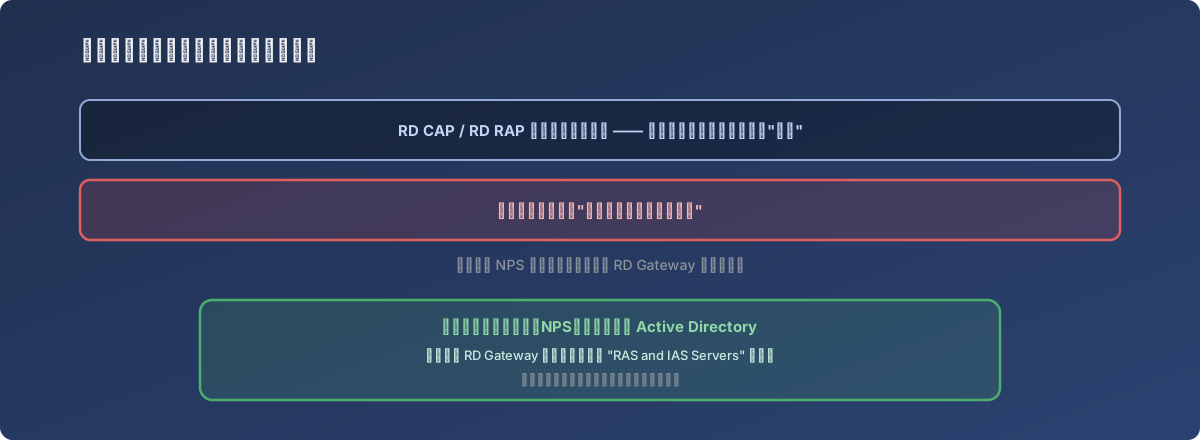
Checking the same layer over and over just produces the same “looks fine” conclusion, over and over
A different clue, buried in the event log
Digging through RD Gateway’s operational logs, beyond confirming the authorization failures, turned up an entry from the Network Policy Service (NPS) reading roughly “no domain controller available for this domain” - even though the server could clearly reach the domain controller fine and log into the admin console normally. This contradictory piece of information pointed in a direction entirely unrelated to user groups or authorization policies.
Searching for this specific NPS error confirmed: if the Network Policy Service that RD Gateway depends on has never been registered with Active Directory, authentication requests get rejected at the NPS layer regardless of how correctly the user groups and policies are configured. This “registration” step is easy to miss when building RD Gateway following official documentation step by step, because it usually isn’t part of the main documented procedure - it tends to show up scattered in comments or community forum posts instead.
The fix
The RD Gateway server’s computer account was added to the “RAS and IAS Servers” security group in Active Directory (requires Domain Admin privileges). Once this “registration” step was done, the Network Policy Service was actually qualified to process these authentication requests, and connections that had been correctly configured but consistently failing started working immediately.
Lessons
- An error message that keeps pointing at the same layer (like “authorization policy”) doesn’t mean the problem is actually there. Here, repeatedly checking user groups and policy configuration and finding them clean was exactly the signal to look elsewhere, rather than continuing to re-check the same layer in different ways;
- In a system built from multiple cooperating components, whether some underlying component has been “properly registered/initialized” is a hidden prerequisite that never shows up in normal configuration screens - yet it can invalidate every layer of configuration above it. The Network Policy Service needing AD registration to function is exactly this kind of prerequisite, and it isn’t reflected anywhere in RD Gateway’s own configuration pages;
- When troubleshooting a deployment issue in a complex system, it’s worth checking whether cooperating services around the target component also left log entries, not just the target component’s own error. The actual clue here came from NPS’s own log entry, not from RD Gateway’s error message itself.