

Packet loss appeared after cycling all the APs: suspect number one is the aging PoE switch

The factory floor’s wireless network had been unstable, so a stopgap fix went in first: swap in a spare PoE switch to take over powering and connecting the on-site access points (APs) from the one that had been misbehaving. A subsequent full power cycle of those APs surfaced a new problem.
Symptom: cycling all the APs introduced packet loss on the LAN
Power-cycling the factory floor’s access points caused packet loss on the local network — while the firewall stayed online throughout, with no issues — narrowing the problem to something inside the shop-floor LAN, not the outbound link.
The suspects on the list:
- The PoE switch itself is faulty (it was already a stopgap replacement for a switch that had been misbehaving);
- A network loop — which requires two ports to have been accidentally cross-connected into the same segment, a real possibility on a factory floor with complex, frequently re-wired cabling and rotating installers.
An imperfect ending: it got better on its own
The investigation notes recorded a curious detail: signal quality gradually recovered over time, eventually rating “excellent.” The problem resolved itself with no clear intervention.
That’s not a good answer — it’s a warning. A problem healing itself doesn’t mean it’s been solved. It’s very possible some unstable physical connection (a loose cable, an aging PoE port) simply “jiggled” back into a working state, while the underlying failure mode is still there, just not triggering right now.
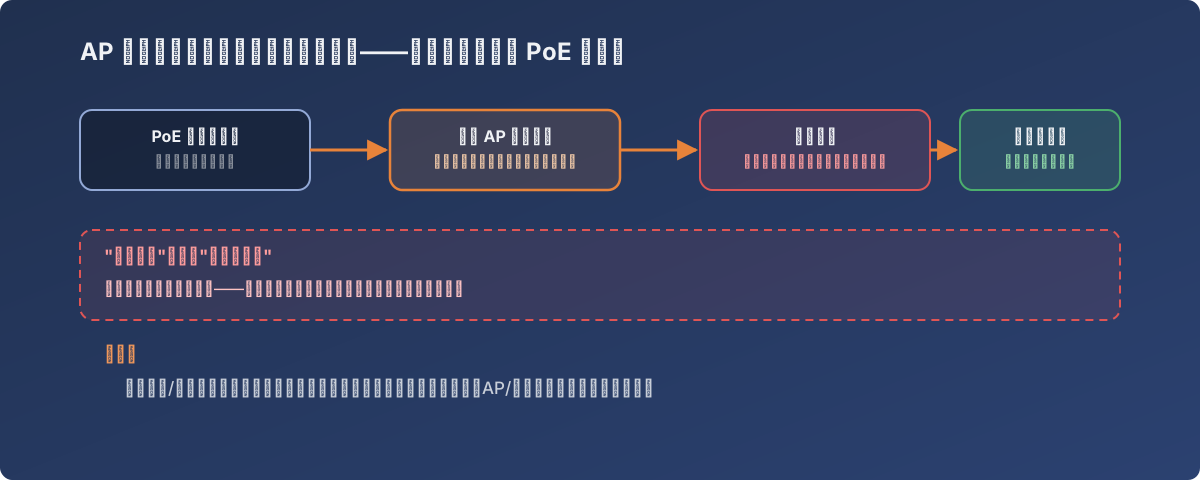
“It got better on its own” is a warning, not good news
What should have happened, but wasn’t feasible in the moment
The ideal path would be to capture packets during the loss window to pinpoint a loop versus a hardware fault — using a network analyzer to check for a broadcast storm (the classic signature of a loop), or a swap-and-isolate approach to find exactly which physical port is at fault. Both require a maintenance window and extra diagnostic gear, which weren’t available under the pressure of actual floor operations.
Writing it down as a starting point for the next occurrence is the most realistic option available under real-world constraints — and that’s exactly why “unresolved” incident records are worth keeping too: the next time the same packet loss shows up, the investigation starts from “check this switch, check for a loop,” not from zero.
Lessons
- A stopgap replacement device can itself be carrying a problem — swapping in a spare doesn’t clear it from the suspect list;
- “It fixed itself after a while” is never the end of an investigation — it’s a signal that a packet-capture window was missed; be ready to capture next time it recurs;
- Networking gear on a manufacturing floor (dust, humidity, frequent physical rewiring) generally ages and fails faster than office-environment equipment — scheduling regular health checks on floor-critical network hardware pays for itself compared to waiting for a support ticket;
- An “unresolved” investigation log has real value — the next occurrence of the same symptom doesn’t start the team from zero.