

Network 'feels slow sometimes' and you can't pin it down? Monitor for days, not just at the moment of the complaint

“The network is slow sometimes” is one of the hardest classes of complaint to handle: the user feels the problem right when you’re not looking, and by the time you open a tool, it’s gone. Catching this kind of intermittent issue isn’t about “checking quickly when someone complains” — it’s about having continuous monitoring running before the complaint ever comes in.
Why a one-off check isn’t enough
The path from a branch office to a target server crosses a local firewall, multiple ISP nodes, and possibly a backbone handoff — any single hop can be the bottleneck, and the bottleneck might only appear during specific windows (an ISP node congesting during evening peak, for instance). Testing once, at the exact moment someone complains, usually catches a snapshot of “it happened to be fine right then” — useless for actually locating anything.
The method: continuous multi-hop path monitoring
Using a dedicated path-monitoring tool (PingPlotter here), run the same link continuously for several days, logging per-hop latency and packet loss trends:
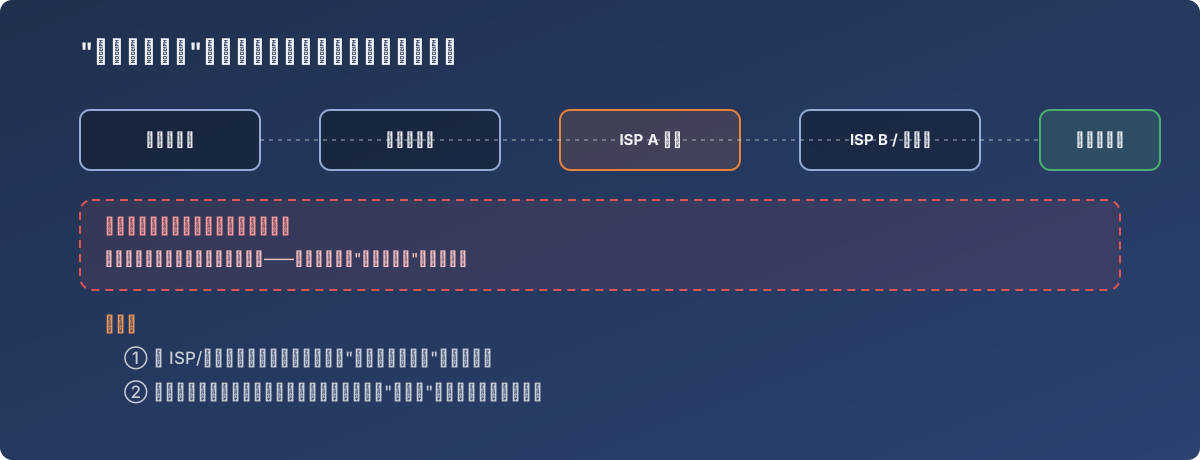
Intermittent problems can only be caught by “always watching”
This approach comes up repeatedly across several scenarios:
- Baseline before switching ISPs or adding a leased line — capture “before” data, so there’s an actual basis to answer “did it really get better,” instead of a vague “feels a bit faster”;
- Comparing outbound paths — testing latency to the same destination through different egress lines (firewall, Starhub, Singtel, etc.) side by side, letting the data decide which traffic should ride which line;
- Verifying an upstream carrier’s change — after the upstream provider makes a network adjustment, re-testing to confirm latency actually landed where expected.
Lessons
- The tool for intermittent network problems is time, not luck — days of continuous monitoring beats scrambling to capture packets the instant someone complains;
- Always keep baseline data before any change — without “before” numbers, “after” can only be argued verbally, and that convinces nobody, including yourself;
- The real value of multi-hop monitoring is turning a vague complaint like “the network is slow” into an actionable one — “latency jumps from 3ms to 150ms starting at hop 5”. That’s the whole point of the tool: turning a fuzzy problem into a precise one.