

The moment the Hyper-V external virtual switch came up, the host went offline - plus a 'give up' written into the docs

The plan was to enable the Hyper-V role on two in-service Windows Server 2016 machines and run a few experimental VMs. Two servers, two entirely different failure modes - worth telling separately.
Server one: role installed fine, the switch was the killer
This one was a production server hosting the ERP application. The Hyper-V role itself installed without complaint. The trouble came one step later - the instant an External Virtual Switch was created, the host lost its network entirely: the Ethernet connection showed disabled/broken, and the server dropped off the network.
A core Hyper-V mechanism is worth spelling out here. When you create an external virtual switch, Hyper-V takes over the physical NIC - the IP protocol bindings are stripped off the physical adapter and migrated onto a newly created vEthernet virtual adapter, while the physical port is demoted to being the switch’s uplink. Normally this sleight of hand completes automatically after a brief blip; but on certain NIC/driver combinations, the vEthernet never comes up or the binding migration is left incomplete - and the host’s network simply never returns. The community forums are full of exactly this case.
The immediate remedy: open Hyper-V’s Virtual Switch Manager and delete the freshly created switch - the physical NIC’s bindings revert and the host’s network comes back. Several more rounds of experimenting with the Ethernet / vEthernet adapter settings all ended the same way: create the switch, lose the network.
The final line written in the log:
GIVE UP. Insufficient time resources. Inconvenient environment to troubleshoot and play around.
This was a production ERP host, reachable only remotely - every “one more try” meant risking another production blackout, and the prize was merely a few experimental VMs. Stopping was the right call.
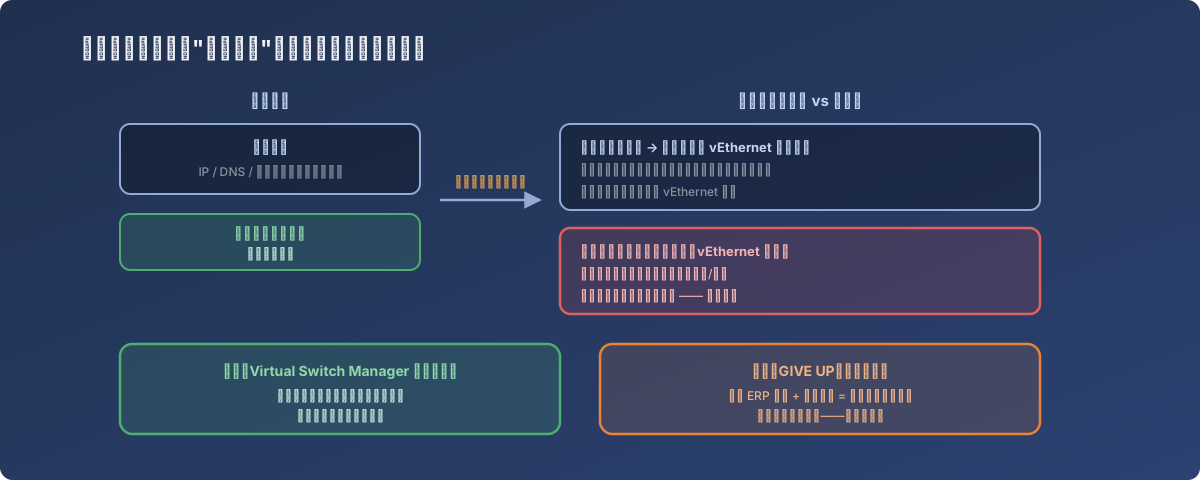
On a production server you can only reach remotely, that “brief blip” is a gamble every single time
Server two: the role wouldn’t install at all - 0x8007370
The other server (an RDS box) failed more bluntly: the Hyper-V role installation itself died with 0x8007370, “The referenced assembly could not be found”. The error isn’t Hyper-V-specific - it strikes when installing Multipath IO or even the humble Telnet client, and it points to corruption or inconsistency in the component store.
The community’s collective experience is consistent: this class of failure is often tied to region/language mismatches (Control Panel regional settings disagreeing with the language markings on system component packages). Some point to manually cleaning registry keys under Component Based Servicing\PackageDetect - but the same community consensus applies: the registry folk remedy rarely works, and the overwhelming majority end up fixed by an in-place upgrade.
Microsoft support’s answer for this server pointed the same way:
I think you have done enough. For the current situation, the simplest method is a repair upgrade. Please download the official ISO image from the Microsoft website and use it to upgrade the system; after this, missing files will be recovered. Don’t worry, your data will not be lost.
An in-place upgrade effectively rebuilds the OS component store wholesale - programs need reinstalling, data survives. Until that big job could be scheduled, other roles (WSUS, for one) still installed fine on this server - the corruption was localized, but the only real cure is the rebuild.
Lessons
- External virtual switch = physical NIC takeover - expect a network blip when creating one, and know there’s a real risk of “down and not coming back” on some NIC/driver combinations. Before doing this on a remotely-managed machine, confirm out-of-band management (iLO/iDRAC) or onsite support is available as a safety net;
- A production server is not a lab - the idea of “casually enabling Hyper-V on the ERP host for some experimental VMs” deserved to be vetoed on its own; experimental workloads belong on a dedicated host;
- Writing “give up” honestly into the documentation has real value - GIVE UP plus the reasons (no time budget, environment unsuitable for experimentation) spares whoever reads the log years later - including your future self - from re-stepping on the same mine;
- For component-store corruption like 0x8007370, the folk remedies have a dismal success rate - Microsoft support itself goes straight to recommending the in-place repair upgrade. Skip the registry archaeology and schedule the proper fix early.